Themes
Four themes for your
Square booking widget.
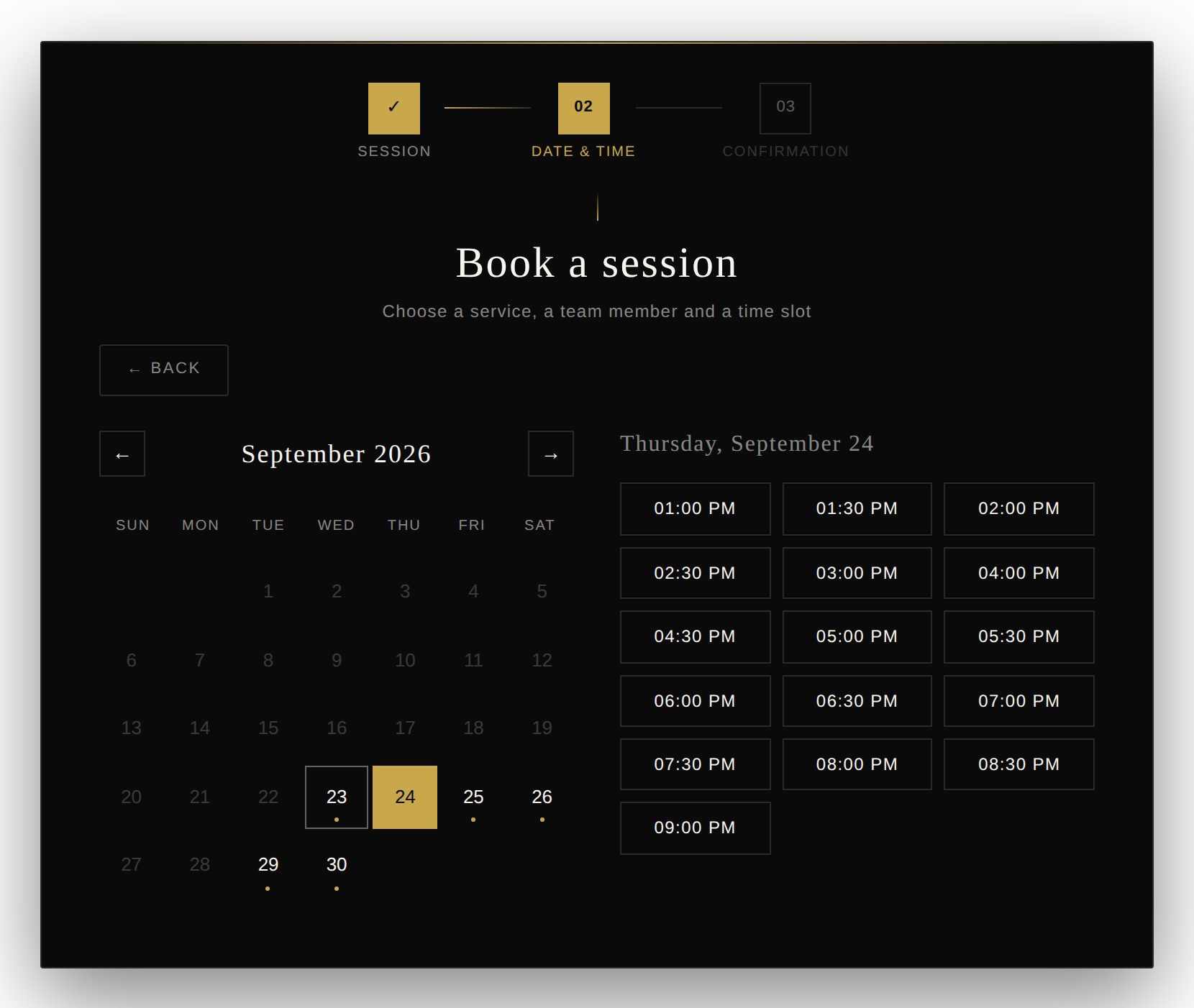
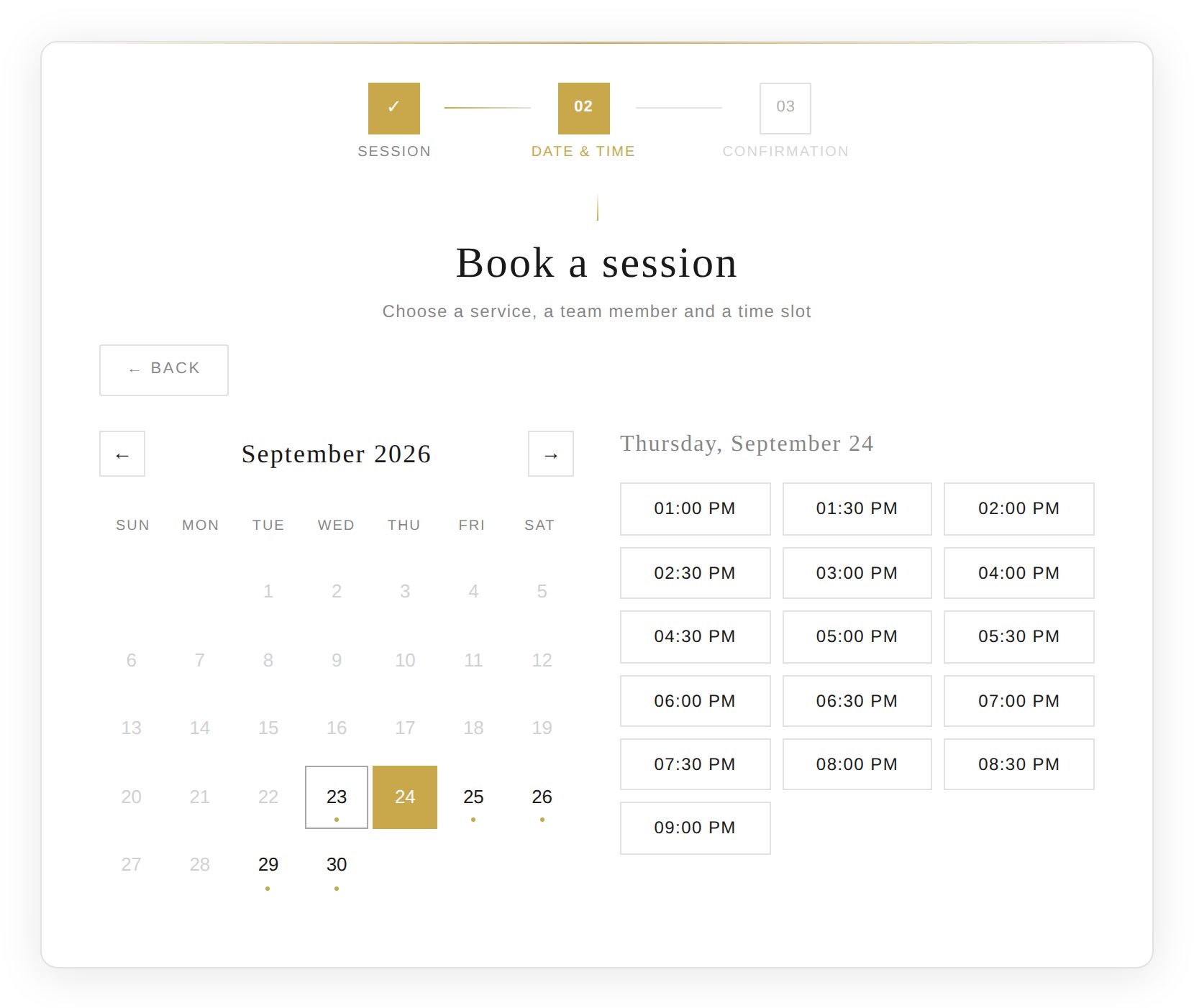
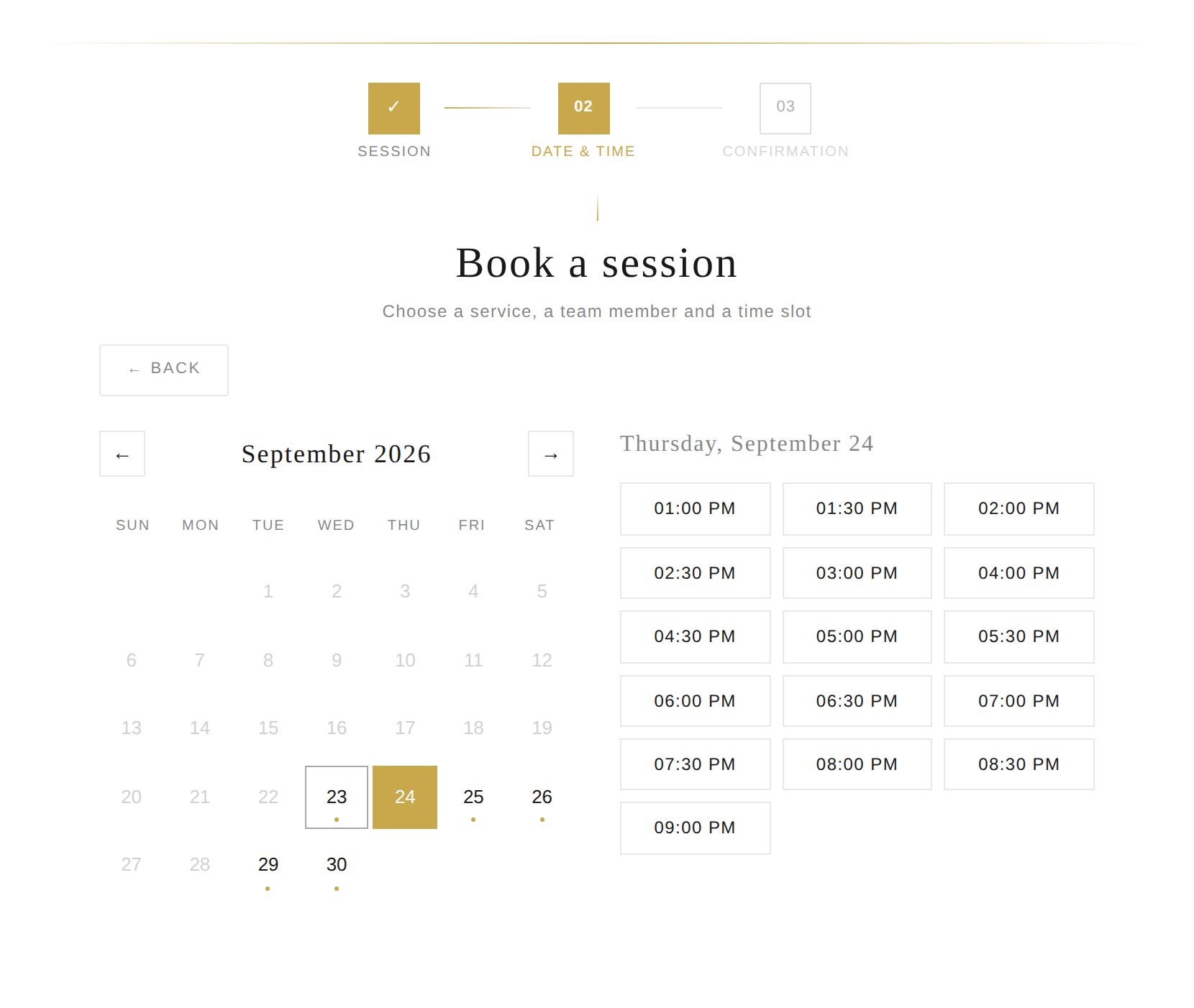
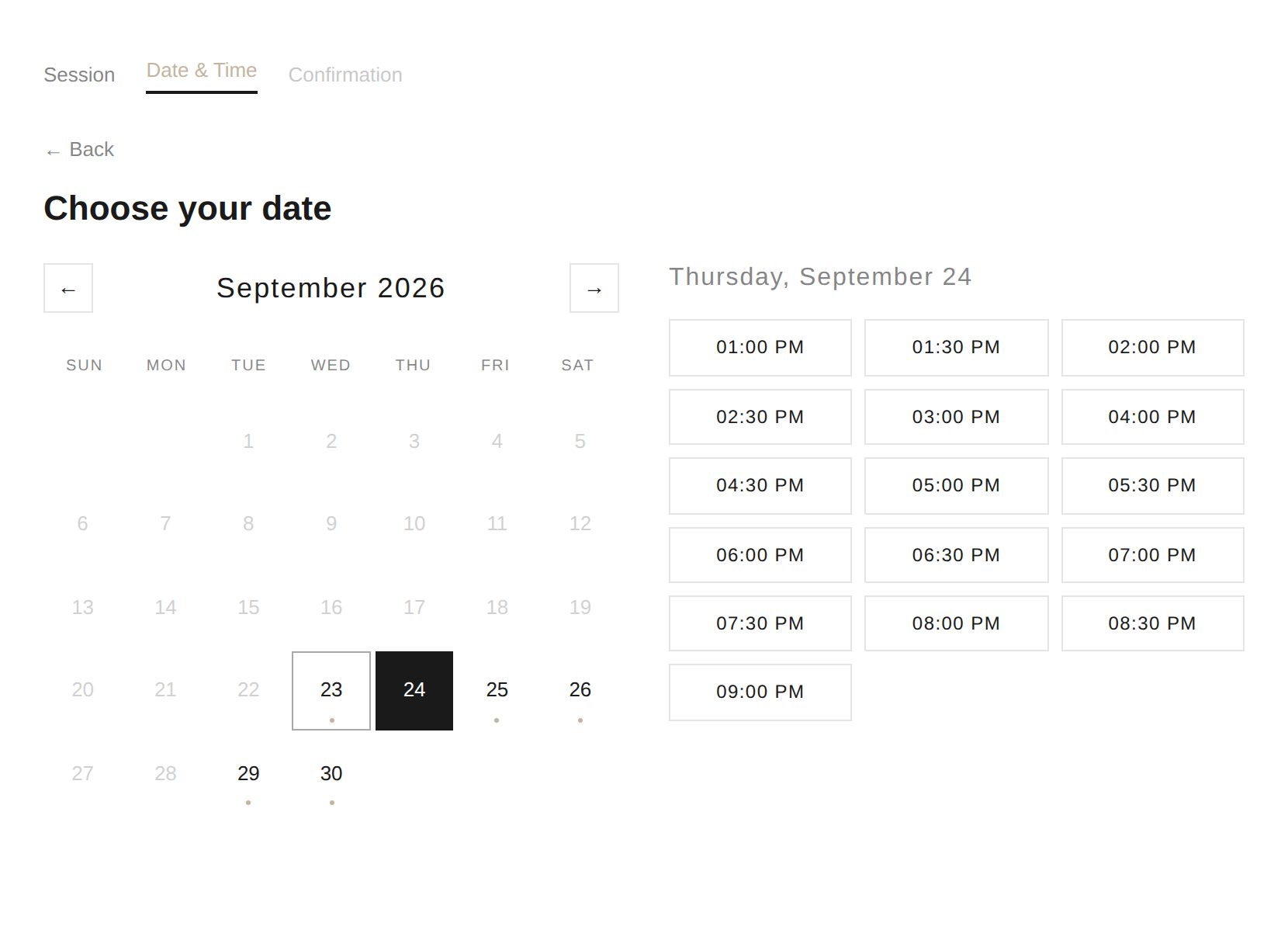
Choose a theme in the settings and add your colors. You can also use a different theme on each page with the shortcode.
The WordPress plugin that embeds your Square booking widget on any page with one shortcode. Services, team members and availability come live from Square, and every booking lands in your Square calendar. No double entry, no detour through square.site.
Or start with the free version on WordPress.org →
Square gives you a booking link or a Book Now button that opens Square's own page. This WordPress plugin shows the Square booking widget inside your pages instead: same services, same calendar, same Square Dashboard.
The booking widget keeps its own styles, so your theme can't break it.
Paste the shortcode in a block, a shortcode widget or a code module.
Free, Plus and Premium. Connect in about 5 minutes.
Square stays your booking system. The plugin shows it on your pages and sends every booking back to Square.
Install the plugin and connect your Square account in the settings. Works with the Free, Plus and Premium plans.
Paste the shortcode on any page or post. The builder can preselect a service or a team member for you.
Clients pick a service and a time and answer your intake questions. The appointment shows up in Square right away.
Included in both editions. Built for salons, spas, studios, clinics and coaches that run on Square Appointments.
Services, prices, team members, opening hours and availability are read from your Square account. Change something in Square and your site follows.
Service, option, date and time, contact details. Easy on a phone, usable with a keyboard, and your Square intake questions are asked at the end.
Four themes (Luxury, Card, Flat, Square Classic) with your colors and fonts. Your WordPress theme can't break the layout.
Show the widget in a page, a pop-up, a side panel or behind a floating button, and preselect a service or a team member. Several Square locations? Clients pick one first.
Optional: save the client's card on file for the appointment, or charge the full price when they book.
Sandbox mode to test with Square's sandbox, multisite support, and a clean uninstall that removes every setting.
Choose a theme in the settings and add your colors. You can also use a different theme on each page with the shortcode.
Running Google or Meta ads? When clients book on Square's own page, Google Ads and Meta never learn that the click became a booking. Once the booking happens on your site, the Tracking edition reports it.
Amazing. Thank you so much. If I come across any advertisers looking for tracking support that utilize Square booking, I will be sure to route them to your plugin. It's perfect for solving the attribution problem that Square has yet to address themselves. 🙂
No Google Tag Manager needed: paste your GA4, Google Ads and Meta IDs and the plugin sends the conversions. Already use Tag Manager, server-side GTM or Make, Zapier, n8n? The plugin feeds them instead. Prefer we handle it? We can set it up for you.
Watch the 2-minute setup walkthrough, from connecting Square to the first booking.
Open a private WordPress site with the plugin connected to a sample Square account. Book a test appointment, switch themes, explore the settings.
Launch the live demoNothing to install · ready in about 20 seconds
Five ways to take Square bookings from a WordPress site, compared on what matters for a business that runs ads: whether bookings land in Square Appointments, how well ad conversions are measured, the booking experience, and who controls the setup.
Swipe the table sideways to see every column →
| # | Solution | Square Appointments | Ad tracking | UI / UX | Control | Our score |
|---|---|---|---|---|---|---|
| 1 | Appointments Booking for SquareTracking edition | NativeBookings are created in your Square calendar | Excellent | Excellent | MaximumWordPress plugin, yearly license | 9.7/10 |
| 2 | iBookerHosted widget | NativeBookings are created in your Square calendar | Excellent | Very good | SaaSMonthly or yearly subscription per booking page | 8.1/10 |
| 2 | Yatoon ProSalon booking plugin | Two-way syncOwn calendar in WordPress, synced with Square | Fair to good | Excellent | Very highWordPress plugin, monthly Pro plan | 8.1/10 |
| 4 | AmeliaBooking plugin | Payments onlyOwn calendar; Square takes the payment | Good | Excellent | HighWordPress plugin, paid license | 7.2/10 |
| 5 | Bookly ProBooking plugin | Payments onlyOwn calendar; Square payments add-on | Fair | Good | HighWordPress plugin, Pro license and add-ons | 6.6/10 |
Ratings and scores are our own assessment as of September 2026, based on each vendor's public documentation. "Native" means the booking is created directly in Square Appointments, with no second calendar to keep in sync. Spotted something out of date? Write to contact@square-appointment-wp.com and we will correct it.
One license per WordPress site, for 12 months from the day you buy. Choose the Square booking plugin, or add ad conversion tracking. Want us to install it? Add installation for $50 at checkout.
🔒 Secure Stripe checkout · Instant download
Want us to install it? Add installation (+$50) at checkout.
🔒 Secure Stripe checkout · Instant download
Want us to install it? Add installation (+$50) at checkout.
Tell us about your ad accounts. We reply with a scope and a price.

Appointments Booking for Square is free on WordPress.org: your Square booking widget with live services, team and availability, two themes, the shortcode builder and five languages. Move to a paid edition when you need Square payments, more themes, custom questions, several locations or conversion tracking. Your settings come with you and your pages keep working.
Each license covers one website for 12 months from purchase, with updates and email support. Renew after one year. See what's new
[square_booking] shortcode on a page. The Square booking widget appears there with your services, team and availability, and every booking goes straight into Square.Ask us about Square, the plugin, installation or tracking. We reply within one business day.